Z Offset Calibration

How to use the Z Offset Calibration and Save Babysteps Macros on HSP1-I

Z Offset
Setting the correct Z offsets is important for a reliable first layer and multi-material printing. The HSP1-I comes equipped with a macro to assist with setting these offsets correctly. A piece of paper or a feeler gauge is required.

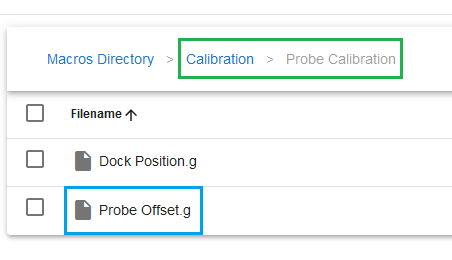
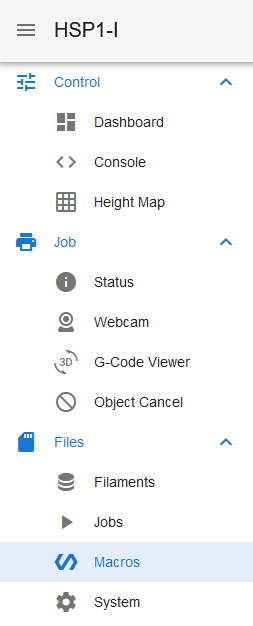
The macro is located in the "Macros" tab, under "Calibration>Probe Calibration". Follow the onscreen instructions, placing the feeler material under the nozzle and moving it while lowering the Z axis until the nozzle tip lightly drags on the gauge/paper.

DWC Macros Tab
Colored DWC Probe Calibration Macros

Once you accept, the machine will move the 2nd tool into position for you to repeat the process. It will then deploy the probe, probe the point that was gauged, and set the probe and tool offsets.

Tool Z Alignment

Manual adjustment may be needed if the Z offsets to the tools is too great, especially for duplicator and mirror mode prints. If the machine reports a significant offset between tools during the previous step, the tools may need manual shifting up or down.

Fine-tuning the Z Offset with Babystepping
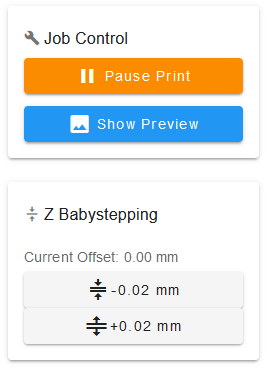
The nozzle's Z axis offset can be fine-tuned during a print via the Babystepping feature. Babystepping can be accessed in DWC on the "Status" tab, or on the PanelDue on the "Print" screen.

DWC Babystepping

How to Save Babystepping

Once the Z offset has been fine-tuned via Babystepping, this new offset can be saved so it is not lost after a printer restart using the "Save Babysteps" macro, accessible from DWC or the PanelDue.

After saving babysteps, the new offset won't be applied until the next time the Z axis is homed. This means the current babystepping offset will remain until the next homing cycle, at which point it will reset to zero.

Right Tool Offset Babysteps

A solution for this coming soon.

Last updated