How to Calibrate Tool Offsets Using the Tool Alignment Camera on HSP1-I
HSP1-I comes with an Ember Prototypes CXC tool alignment camera for visually setting tool offsets. A macro has been developed to streamline the process.
Using the Tool XY Offset Macro
The first step of offset calibration is to locate the CXC camera and alignment bracket. The camera is attached to the bracket, with a protective cover placed over the camera.
CXC Image
During the process the macro will instruct you to plug in the camera and place it into position. The correct positioning is pictured below.
The camera focus may need initial adjustment in order for the nozzle tip to be in focus. The focus can be manually adjusted via the focusing ring on the top of the lens. Once the focus has been adjusted for the first tool, avoid touching the the CXC bracket. If the bracket shifts, the offsets may be inaccurate.
CXC In Position
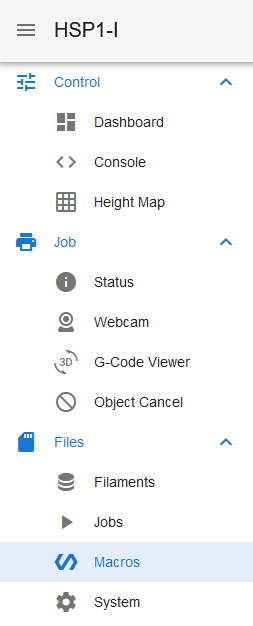
The macro is located in the "Macros" tab, under "Calibration>Tool Calibration". Follow the onscreen instructions for when to position the CXC and plug it in, as well as remove it. You will be instructed to use the large display for the camera feed and the small display for positioning.
DWC Macros Tab
Tool Offset Macro
Configuring Chrome to use the CXC
This step should be done before you receive your HSP1-I, but instructions are provided in case the SBC is reset or a the configuration changes.